Music Technology Guide: How Do MIDI Instruments Work?
Mar 19, 2026
-
Tero Potila
Ever wondered how you could record a melody on a keyboard but instantly turn it into a 1980s synth or a grand piano? MIDI instruments let you do exactly that. They don't produce sound themselves but instead function as sophisticated controllers that send digital instructions to other devices.
When you press a key on a MIDI keyboard, it transmits data messages describing which note you played, how hard you struck it, and when you released it, rather than generating actual audio waves.
This fundamental difference means MIDI captures your musical performance as digital, editable information that synthesizers, computers, and sound modules can interpret and transform into sound.
How Do MIDI Instruments Work?
So why would this matter for your music-making? Understanding MIDI can completely transform how you approach music production; it separates the act of playing from the sound generation process entirely.
This means when you record MIDI data, you can change the instrument, adjust the timing, or modify the velocity or pitch of each note afterward without re-recording your performance.
I use all of these features daily in my production workflow; I might record an idea on piano, but then realize it would sound better with a string section. No problem! I just load up a string section virtual instrument, and the same MIDI data works immediately.
The flexibility of MIDI has become essential in modern music production, from bedroom studios to professional concert stages.
How MIDI Instruments Transmit and Receive Musical Data
The Core Principle of MIDI Communication
The Musical Instrument Digital Interface, or MIDI, functions as a universal language that transmits performance instructions rather than sound itself.
When you press a key on a MIDI keyboard, the device converts that physical action into digital data packets containing specific information about what happened.
These packets travel through MIDI cables or USB connections as a set of instructions. The receiving device, be it a synthesizer, sound module, or computer, interprets these instructions and generates the actual audio.
This approach keeps file sizes remarkably small since you’re only transmitting commands, not recorded sound waves.
MIDI operates in real time with minimal latency. Each message contains precise details about the musical events, allowing your devices to accurately recreate performances.
This separation between performance data and sound generation gives you the flexibility to change sounds, edit timing, or adjust parameters after recording without affecting the original performance data.
Understanding MIDI Messages and Events
MIDI messages carry different types of information depending on what’s happening musically.
Here are some of the most common MIDI Message Types:
- Note messages – Note-on messages include the pitch and velocity—which is a fancy way of saying how hard you hit the key. This uses a 0-127 scale.
- Control changes let you manipulate parameters like modulation wheels, sustain pedals, and volume faders during performance.
- Program change messages switch between different instrument sounds or patches on your synthesizer.
- Pitch bend – Smooth pitch variations
- Aftertouch – Pressure applied after pressing a key
It’s helpful to understand the technical details of all this, as it gives you the ability to edit and perfect your musical performance quickly.
In my workflow, I edit MIDI heavily to dial in every detail of my performances until they are perfect. And it only takes a moment.
Pro Tip: Editing each note’s velocity can help really dial in your performance; the difference between a velocity of 50 and 127 can completely change the character of a sound, especially with well-programmed virtual instruments.
MIDI Channels and Multi-Device Setups
The MIDI protocol provides 16 independent channels that function like separate communication lanes.
Each channel can carry its own stream of MIDI information, allowing you to control multiple instruments simultaneously through a single cable connection.
It’s completely up to you what instrument you want on each channel: You might assign your bass synthesizer to channel 1, drums to channel 10, and strings to channel 3.
Each device only responds to messages sent on its designated channel, preventing signal conflicts.
This channel-based system became the MIDI standard because it elegantly solved the problem of managing complex multi-instrument setups.
Different channels can transmit unique MIDI data simultaneously.
While channel 1 sends piano notes, channel 2 might send control changes for a pad sound, and channel 10 (traditionally reserved for percussion) handles drum triggers.
This architecture makes MIDI remarkably efficient for both studio production and live performance situations where you’re managing multiple sound sources from a single controller.
Essential MIDI Instruments, Controllers, and Modern Uses
Common Types of MIDI Instruments and Devices
MIDI Keyboard Controllers
MIDI keyboard controllers remain the most popular choice for music production.
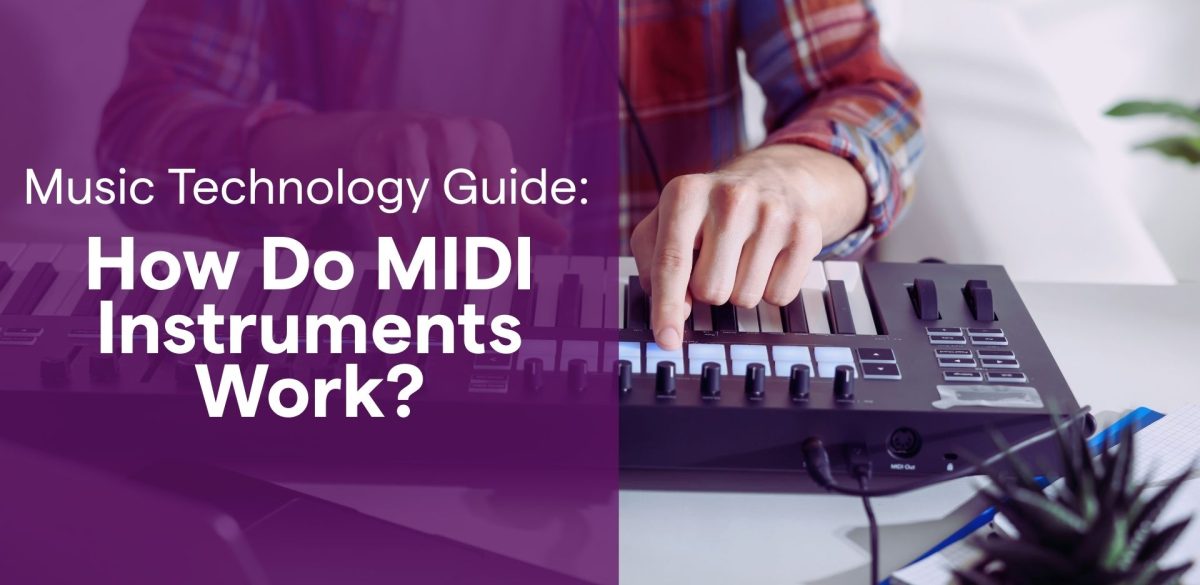
These devices resemble piano keyboards with standard piano keys and send MIDI data to control virtual instruments or hardware synths without producing sound themselves. MIDI keyboard controllers typically come with 25, 37, 49, 61, or 88 keys.
Digital Pianos
Most digital pianos can also function as MIDI controllers, while also having their own sounds.
Pad Controllers
Pad controllers offer grid-based interfaces perfect for triggering drum samples, loops, or chord patterns. They are great for beat-making and live performances.
Drum Machines
Drum machines combine pads with built-in sound modules to create rhythmic patterns.
MIDI Control Surfaces
There are also MIDI control surfaces with faders, knobs, and buttons that can be assigned to any MIDI values you’d like. Some MIDI keyboard controllers also come with built-in control surfaces.
MIDI Wind Controllers
Some more elaborate MIDI controllers include wind controllers that mimic traditional instruments and guitar MIDI pickups that translate the notes generated by the guitar’s strings into MIDI signals.
Expression Controls
Expression controls like modulation wheels and expression pedals add dynamic performance capabilities. These are also typically built in to MIDI keyboard controllers.
I use most of these controllers literally daily in my production workflow to add a human feel to synthesized sounds, particularly when recording piano parts or complex arrangements.
Nowadays, we most often use MIDI controllers with virtual instruments running inside the DAW; however, you can also connect your MIDI controller to sound modules and hardware synths for sounds that respond to MIDI messages when you use the controller to compose and perform.
In Soundtrap Studio, you can use your computer keyboard as a MIDI controller if you don’t have a MIDI controller handy.
Connecting and Interfacing MIDI Equipment
Traditional MIDI connections use 5-pin MIDI cables connecting to MIDI ports labeled In, Out, and Thru.
The In port receives data, the Out sends your performance information, and the Thru passes data to additional MIDI-compatible devices in a chain.
USB connections have largely replaced traditional MIDI cables in modern home studios.
Most MIDI devices now connect directly to your computer via USB cable, eliminating the need for a separate MIDI interface. The USB connection is great because it provides both power and data transmission.
If you need to connect multiple devices or vintage equipment lacking USB connectivity, then you’ll need A MIDI interface.
These interfaces typically offer multiple MIDI ports and connect to your computer through USB. You’ll need one if you’re integrating older hardware synths or connecting several pieces of digital music gear simultaneously.
Many audio interfaces have built-in MIDI ports to support older gear, so before buying a separate MIDI interface, check if your audio interface already has these ports.
Standardized MIDI protocols were established in the early 1980s by pioneers like Dave Smith at Sequential Circuits, so that different manufacturers and different companies could maintain compatibility.
MIDI in Modern Music Production
Modern DAWs serve as the central hub for MIDI recording and editing.
Your digital audio workstation transforms MIDI files into audible music by routing them to software instruments or external sound modules.
All DAWs come with their own version of a piano roll editor that lets you visualize and edit notes, velocities, and timing with precision that sheet music cannot match.
If you’re working in Soundtrap, then you’ll be using Soundtrap’s Online MIDI Editor. It makes it super easy and fast to create and arrange music, and it’s very intuitive to use.
Virtual instruments have revolutionized the music production workflow by offering thousands of different sounds within your computer.
You can access entire orchestras, synthesizers, and just about any imaginable instrument from various manufacturers without physical equipment.
Another cool benefit of MIDI is that you can use preset packs and MIDI packs to give you ready-made chord progressions and patterns to accelerate your workflow.
MIDI tracks in your DAW remain editable throughout production. You can change the entire song’s tempo, transpose melodies, or swap instruments without re-recording.
This flexibility is a major reason MIDI became essential to modern music production.
Many DAWs also support MIDI Polyphonic Expression (MPE), which adds another dimension by allowing per-note control of pitch bend and modulation for expressive performances.
The Next Generation: MIDI 2.0
While the original MIDI standard has served us incredibly well for over 40 years, we are currently seeing the rollout of MIDI 2.0.
This isn’t just a small update; it’s a massive leap forward in how our gear talks to each other.
The biggest change is that MIDI 2.0 is bi-directional. In the old days (MIDI 1.0), a controller just “talked” at a computer.
With 2.0, the devices have a conversation. They can “shake hands” and automatically configure themselves, which means less time mapping knobs and more time creating.
Why MIDI 2.0 is a game-changer for your workflow:
- Higher Resolution: Instead of the 128 steps of velocity we discussed earlier, MIDI 2.0 allows for billions of steps. This results in an incredibly human, acoustic feel that was previously impossible to capture digitally.
- Backward Compatibility: Don’t worry about your “vintage” 2022 controller—MIDI 2.0 is designed to work seamlessly with MIDI 1.0 gear.
- Better Expressiveness: With enhanced support for MPE (MIDI Polyphonic Expression), you can slide, bend, and modulate every single note in a chord independently.
I’m personally most excited about the “Property Exchange” feature.
Imagine plugging in a hardware synth and having your DAW instantly know exactly which knobs are which without you having to lift a finger. That’s the future we’re heading toward!
To wrap up your blog post, here is a conclusion that mirrors the encouraging, “get started now” tone of the Soundtrap blog while hitting those high-level points.
Conclusion
Understanding how MIDI instruments work is like unlocking a new superpower for your creative process.
By separating musical information from the actual sound, MIDI technology gives you the ultimate flexibility to experiment with different instruments and perfect your performance long after you’ve finished playing.
I started using MIDI instruments when the technology was just becoming popular. I’ve seen how this industry standard has become a powerful tool for modern producers, enabling a level of precision and control once unimaginable.
Ultimately, MIDI is all about removing the technical barriers between the idea in your head and the finished music coming out of your speakers.
Frequently Asked Questions
Does MIDI transmit actual audio?
No, MIDI does not transmit an audio signal or sound waves. Instead, it sends musical information, such as which note was played and how hard it was hit, to a connected device or software, which then generates the sound.
Do I need a MIDI cable to connect my controller?
While the traditional 5-pin MIDI cable is the industry standard for vintage gear, most modern home studio setups use a simple USB connection. USB transmits the same digital communication data while also providing power to your controller.
Can I turn my MIDI recording into a different instrument?
Yes, that is the most powerful tool in the MIDI workflow! Because you are recording musical notes and velocity information rather than a fixed audio file, you can easily swap a piano part for a synthesizer or strings without having to re-record your performance.
What is the difference between MIDI and a synthesizer?
A MIDI controller is just a “brain” that sends instructions, while a synthesizer is the “voice” that creates the actual synthesized music sounds. Some electronic musical instruments act as both, but many modern producers use a dedicated MIDI controller to trigger virtual instruments inside their DAW.
What does 7-bit resolution mean for my music?
Most MIDI values use 7-bit resolution, which provides a range of 128 steps (0-127). This determines things like the volume of a note or the position of a modulation wheel. While it sounds technical, it’s the standard MIDI language that ensures your gear and software stay perfectly in sync.
About the author
Tero Potila is a professional music composer and producer. His career combining knowledge and experience from music, TV, film, ad, and game industries gives him a unique perspective that he shares through posts on teropotila.com.